
Settings
Subscription
Your plan, what it includes, and how much of it you're using.
In the app: Settings › Subscription
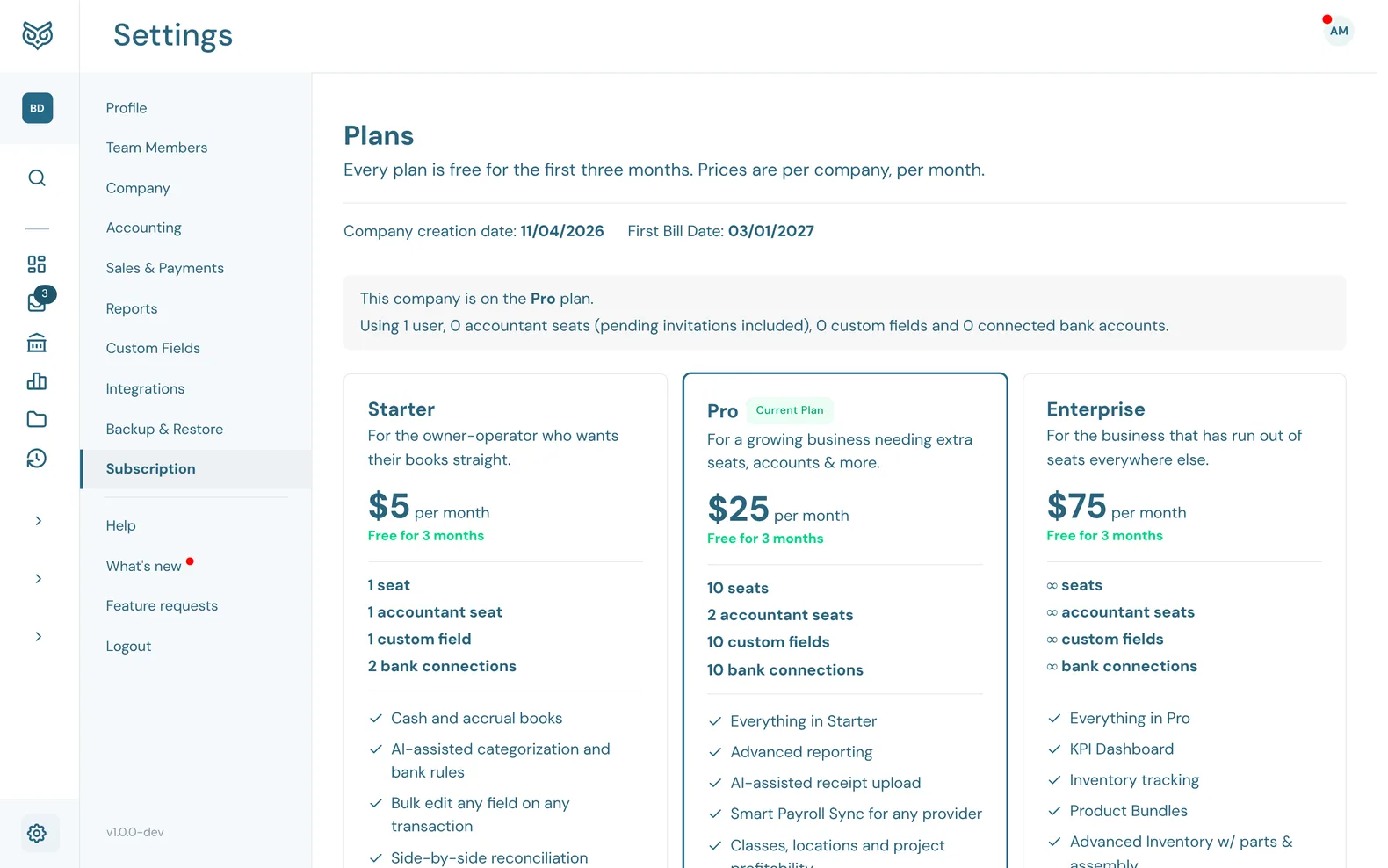
The Subscription page shows this company's plan and lets an owner or admin change it. Prices are per company, per month, in US dollars. Every plan is free for the first three months.
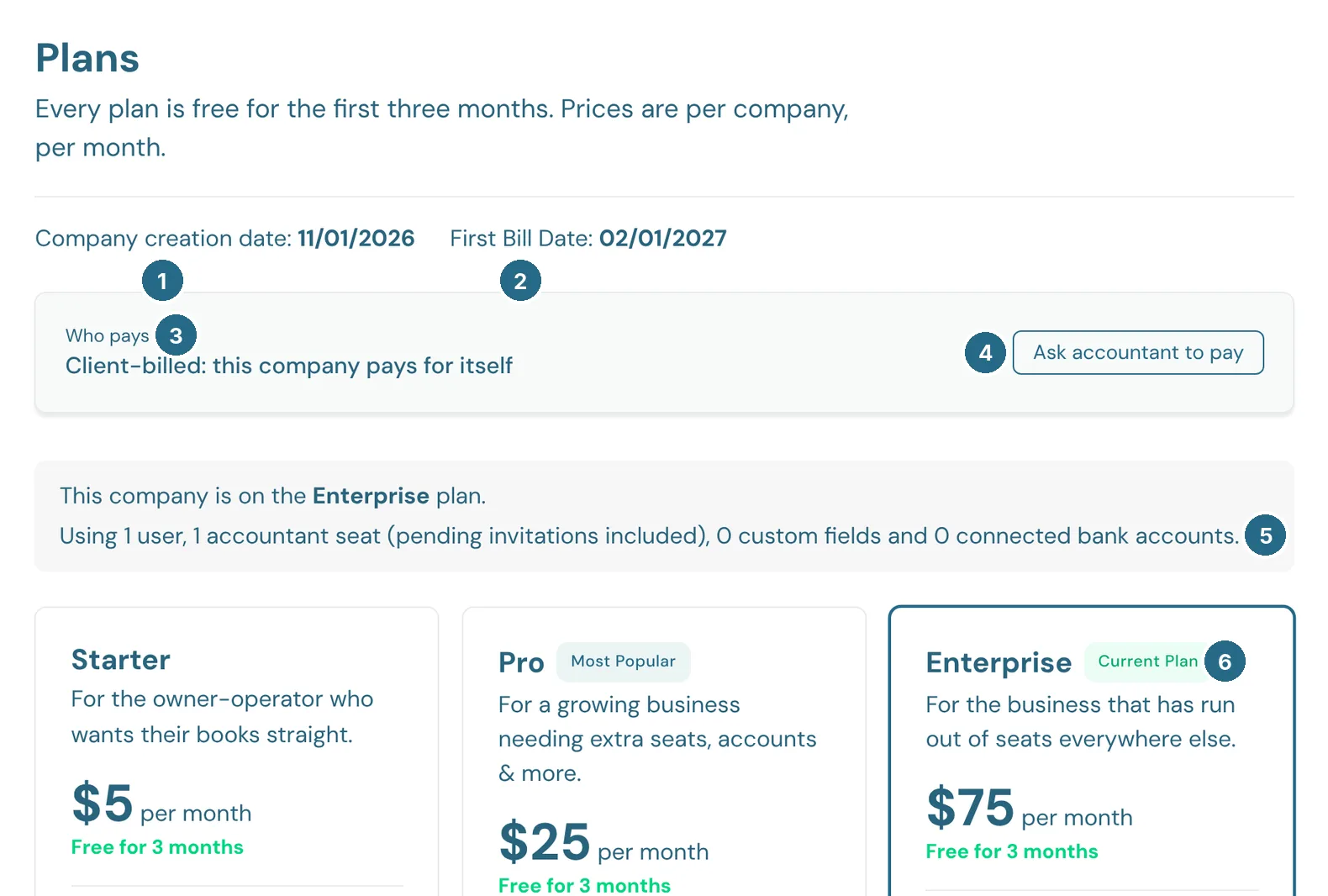
- Company creation date: when the company was set up.
- First Bill Date: when the free months end and the first bill is due.
- Who pays: the company itself, or its accounting firm.
- Ask accountant to pay asks your accountant's firm to take over the bill. Nothing changes until they accept. When the firm pays, this reads Take over billing.
- Your plan, and what you're using of it: users, accountant seats, custom fields and connected bank accounts.
- Current Plan marks the plan you're on.
Plans
- Starter, $5 a month: 1 seat and 1 accountant seat, 1 custom field and 2 bank connections. Cash and accrual books, bank rules, side-by-side reconciliation, estimates, invoices, purchase orders and recurring billing, online payments and Bill Pay (coming soon), general reporting, accountant access and the QuickBooks migration tool.
- Pro, $25 a month: 10 seats and 2 accountant seats, 10 custom fields and 10 bank connections. Everything in Starter, plus advanced reporting, receipt upload, payroll sync for any provider, classes, locations and project profitability, and inventory tracking.
- Enterprise, $75 a month: unlimited seats, accountant seats, custom fields and bank connections. Everything in Pro, plus the KPI dashboard, product bundles, inventory with parts and assemblies, and priority migration help.
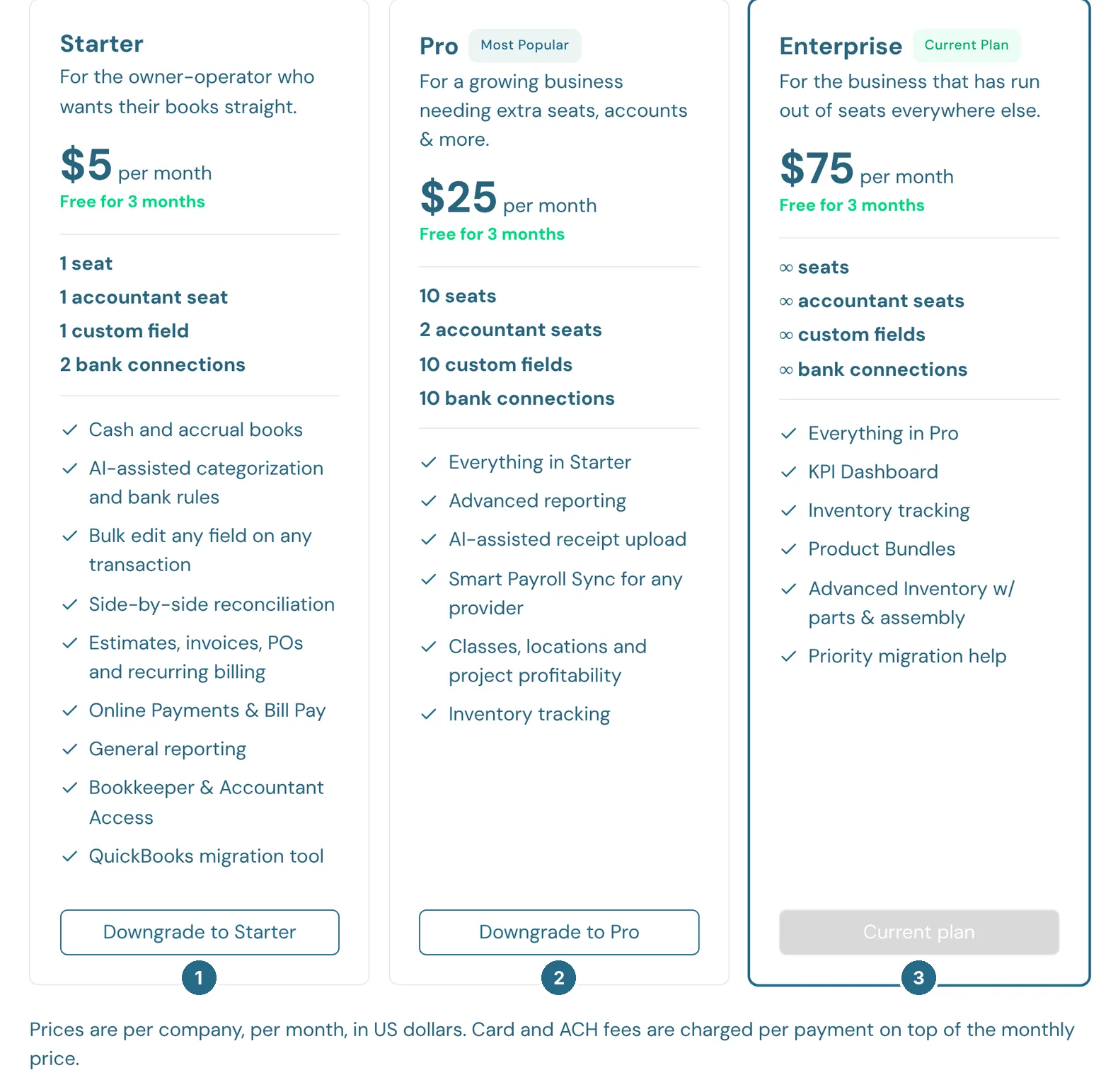
- Downgrade to Starter (or Upgrade to a bigger plan) switches to it.
- Downgrade to Pro.
- Current plan: the plan you're on.
Online payments and Bill Pay are coming soon; their ACH fees will be charged per payment on top of the monthly price. If your accounting firm pays for your plan, you'll see Contact your firm instead. See I can't change my plan.
Updated in v1.0.0