
Accounting
Period close
Work through a month-end checklist, then lock the period so nothing changes behind you.
In the app: Accounting › Period Close
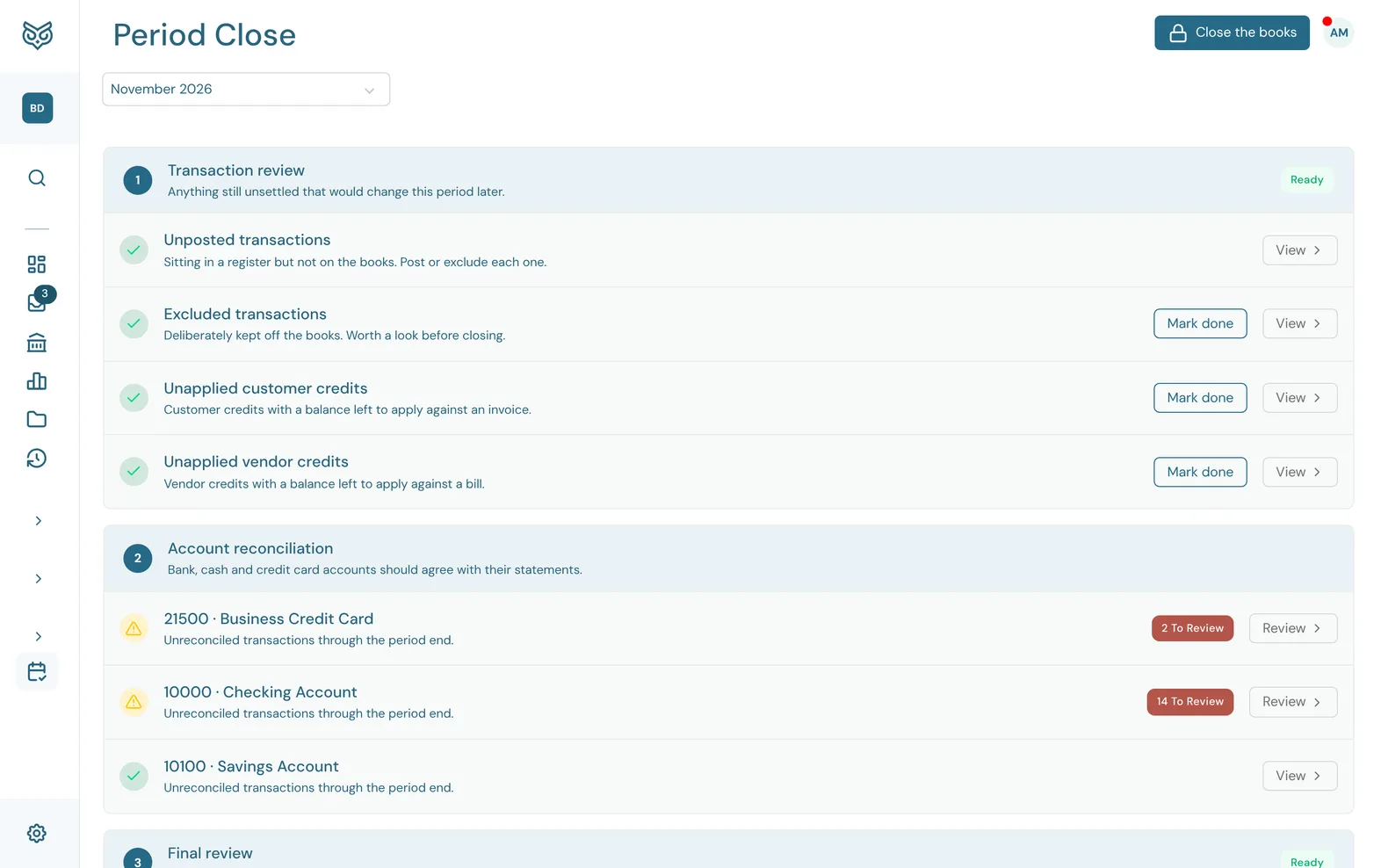
Period Close walks you through the checks to make before a month (or year) is final, then closes the books through its last day. Every item is counted from your real data, so it shows done only once the work is actually done.
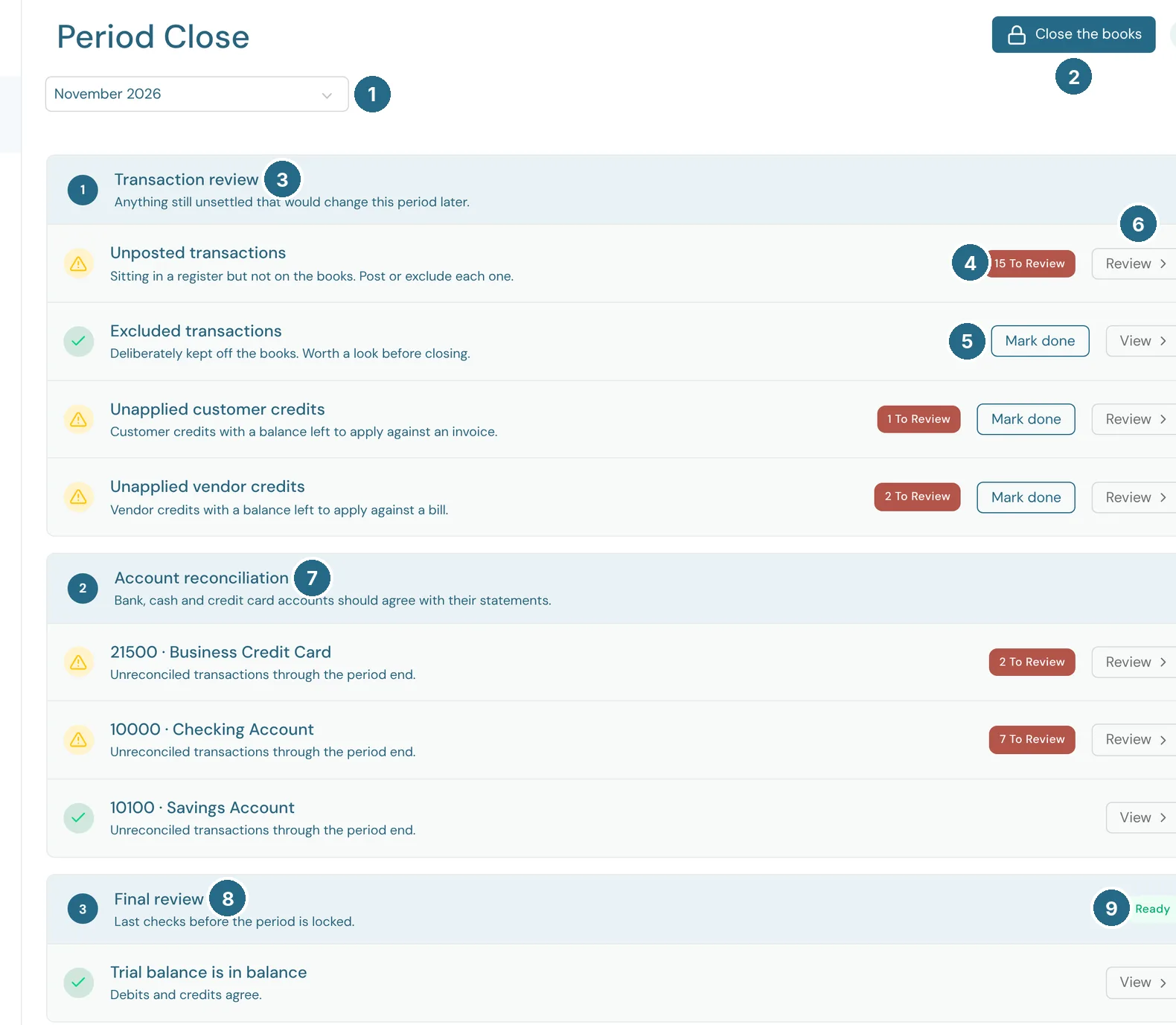
- The period to close, such as November 2026.
- Close the books (see Closing the books).
- Transaction review: anything still unsettled that would change this period later. Unposted transactions are sitting in a register but not on the books, so post or exclude each one. Excluded transactions were deliberately kept off the books and are worth a look. Unapplied customer credits and Unapplied vendor credits still have a balance to apply against an invoice or bill.
- To review: how many are left on that item.
- Mark done ticks an item off once you've looked at it, even if the count isn't zero. Undo puts it back.
- Review (or View) takes you to where you fix it.
- Account reconciliation: each bank, cash and credit card account, with how many transactions are unreconciled through the period end. Review opens the account so you can reconcile it.
- Final review: Trial balance is in balance, meaning debits and credits agree. This one must pass before you can close.
- Ready: nothing is left in that section.
Closing the books
Only the company owner can close the books. Anyone can work through the checklist.
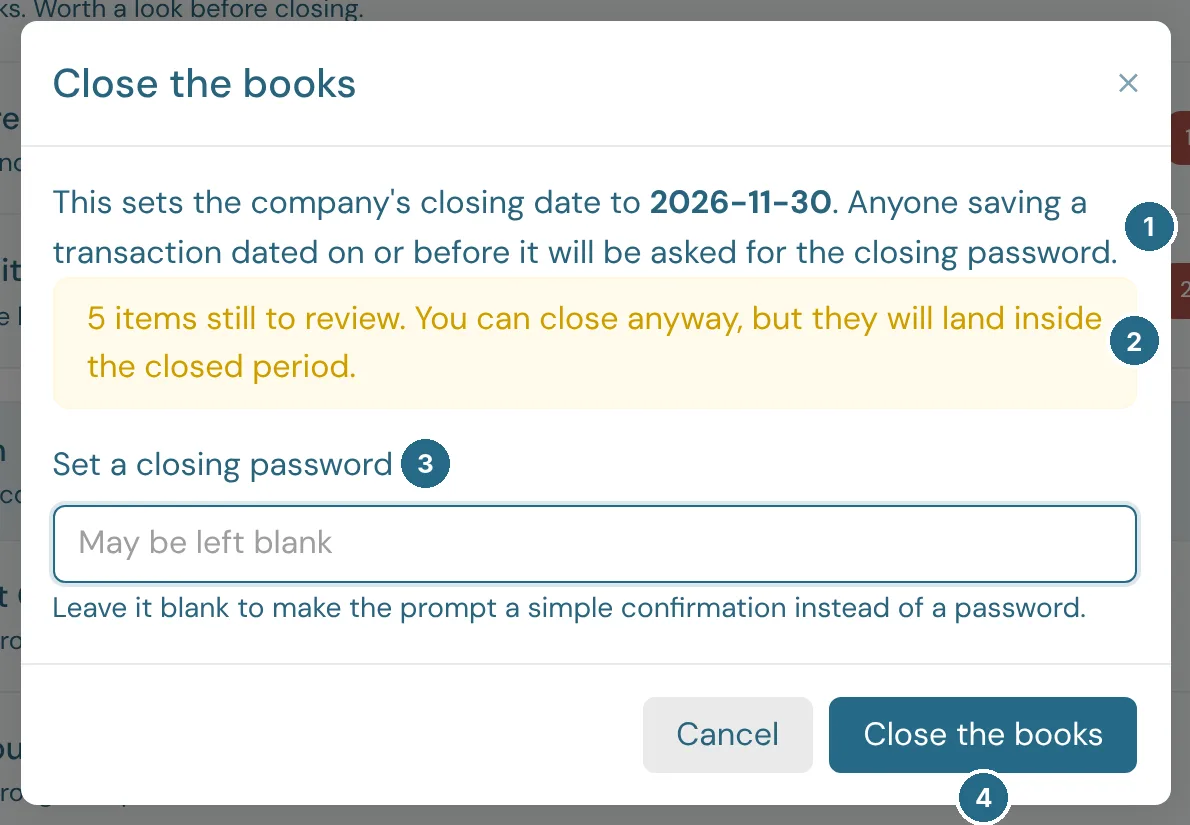
- The closing date is set to the last day of the period. Anyone saving a transaction dated on or before it is asked for the closing password.
- A warning when items are still to review. You can close anyway, but they'll land inside the closed period.
- Set a closing password, the first time you close. Leave it blank to make the prompt a simple confirmation instead.
- Close the books closes it.
Closing an earlier period than the current closing date reopens everything after it, and needs the current closing password. See I can't change a transaction in a closed period.
Updated in v1.0.0