
Activity
A record of every change made in your company: who did what, and when.
In the app: Overview › Activity
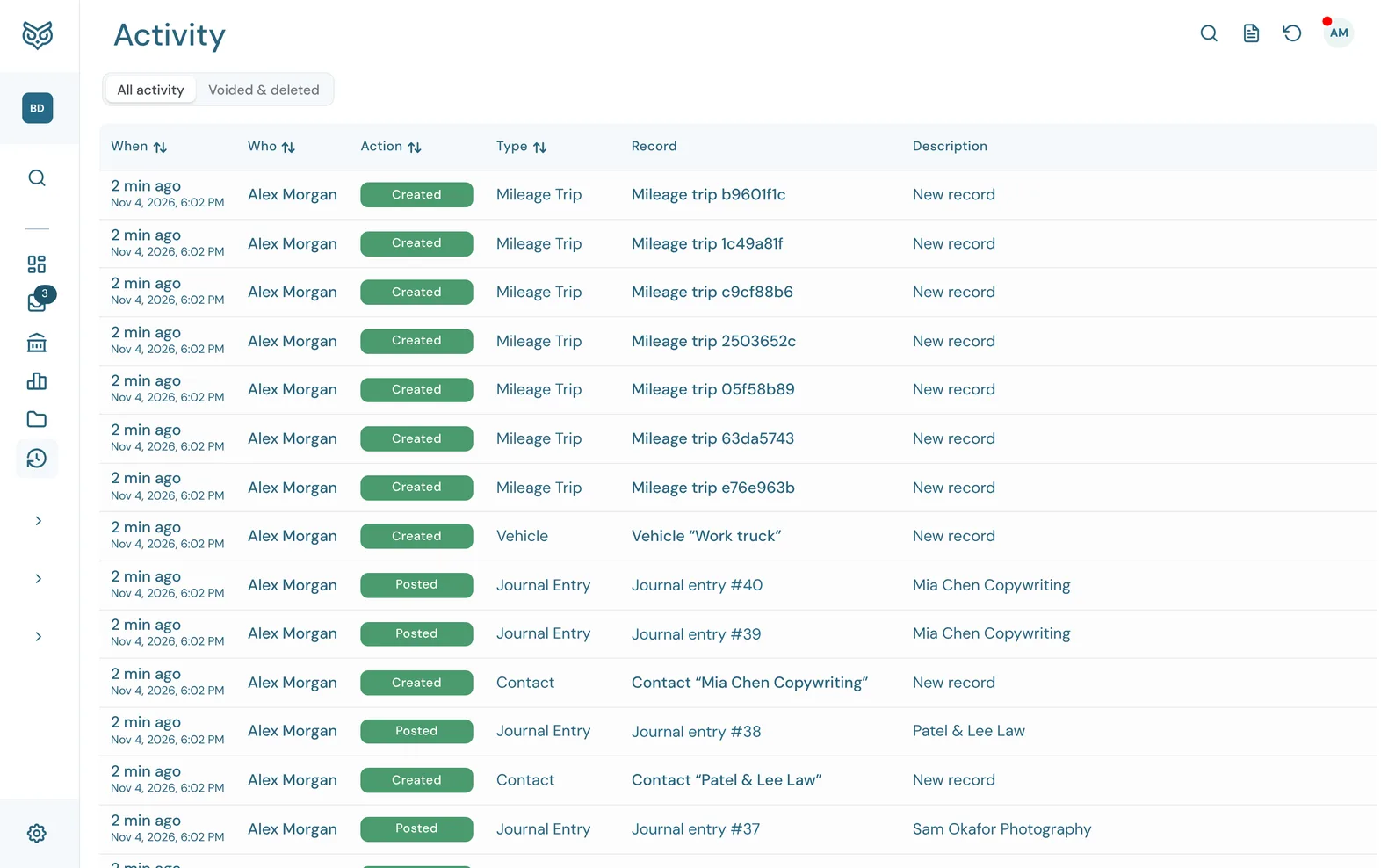
Activity lists every change to the company's records, newest first. Nothing can be edited or removed from it, so it's a reliable trail for you and your accountant.
The top of the page

- All activity: every change, newest first.
- Voided & deleted: only records that were voided or deleted, so you can see what went and who removed it.
- Search (magnifying glass) finds activity by record, person or text.
- Daily activity report (page icon) opens the day-by-day summary report.
- Backups (circular arrow) opens Backup & Restore.
The list
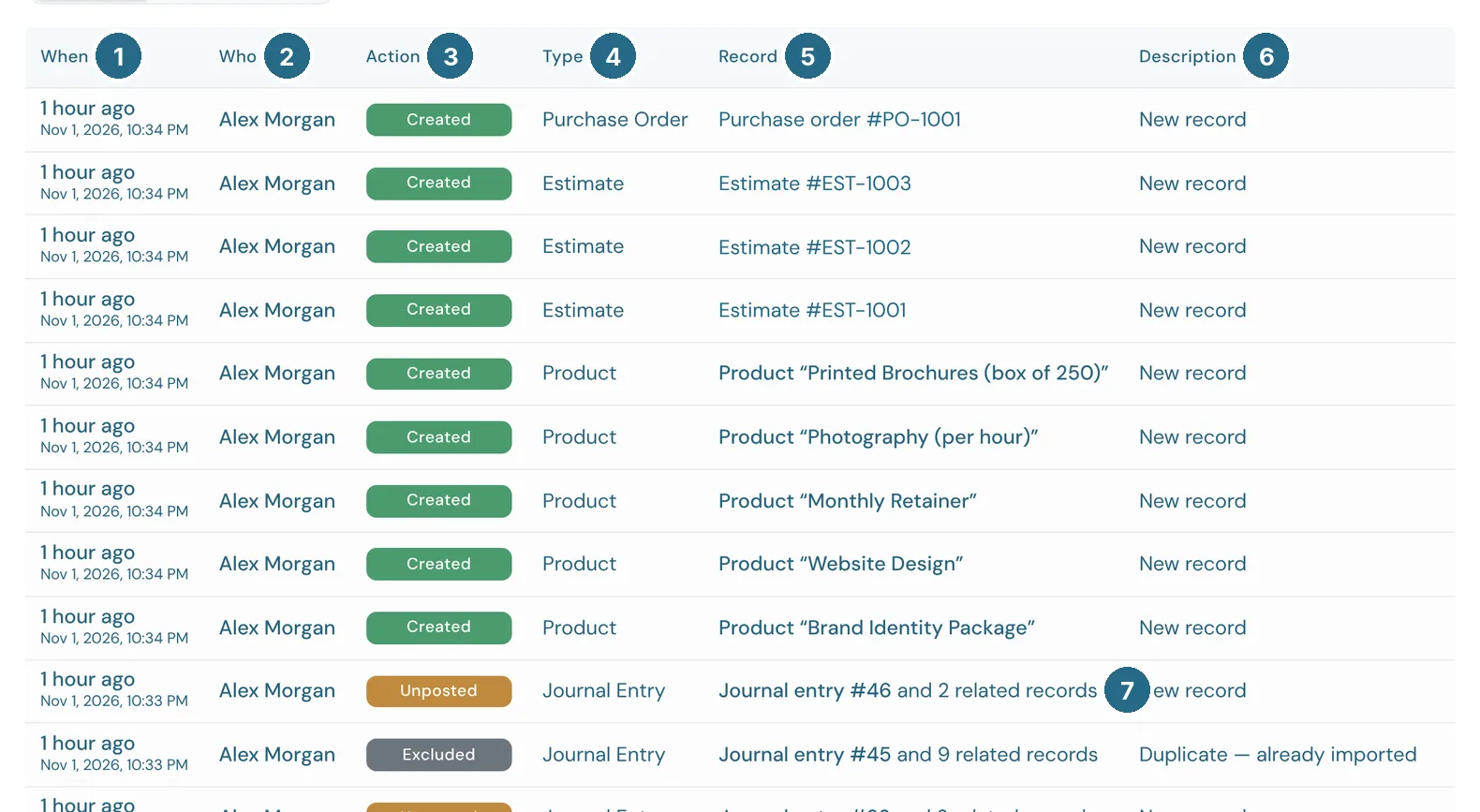
- When: how long ago, with the exact date and time below it.
- Who: the person who made the change.
- Action: a coloured badge such as Created, Updated, Posted, Unposted, Excluded, Voided or Deleted.
- Type: the kind of record, such as Invoice, Bill, Product or Journal Entry.
- Record: the record that changed. Click it to open the record in its drawer, the same one you'd see from its own page.
- Description: the transaction's memo when it has one (for example "Duplicate — already imported" on an excluded bank line), otherwise a short summary such as New record or the fields that were edited.
- and N related records: one action often writes more than one record. Posting a bank line, for example, also writes the journal lines behind it. The count shows how many extra records that one action touched.
Sort by any column with the arrows in its heading.
Deleted records
A deleted invoice, bill, estimate, purchase order, credit memo or journal entry can still be opened from Activity. It opens read-only, with who deleted it and when, and the record exactly as it was just before it went. A voided record still exists, so it opens in its own drawer with its Void status showing.
Nothing can be undeleted from here. The only way to get a deleted record back is to restore a backup taken before it was deleted, which replaces all of the company's records with that copy (see Backup & Restore). Usually it's simpler to enter the record again from the read-only copy.
Updated in v1.0.0