
Help & feedback
Feature requests
Suggest an idea for WizeBooks and vote for the ones you want most.
In the app: Avatar menu › Feature requests
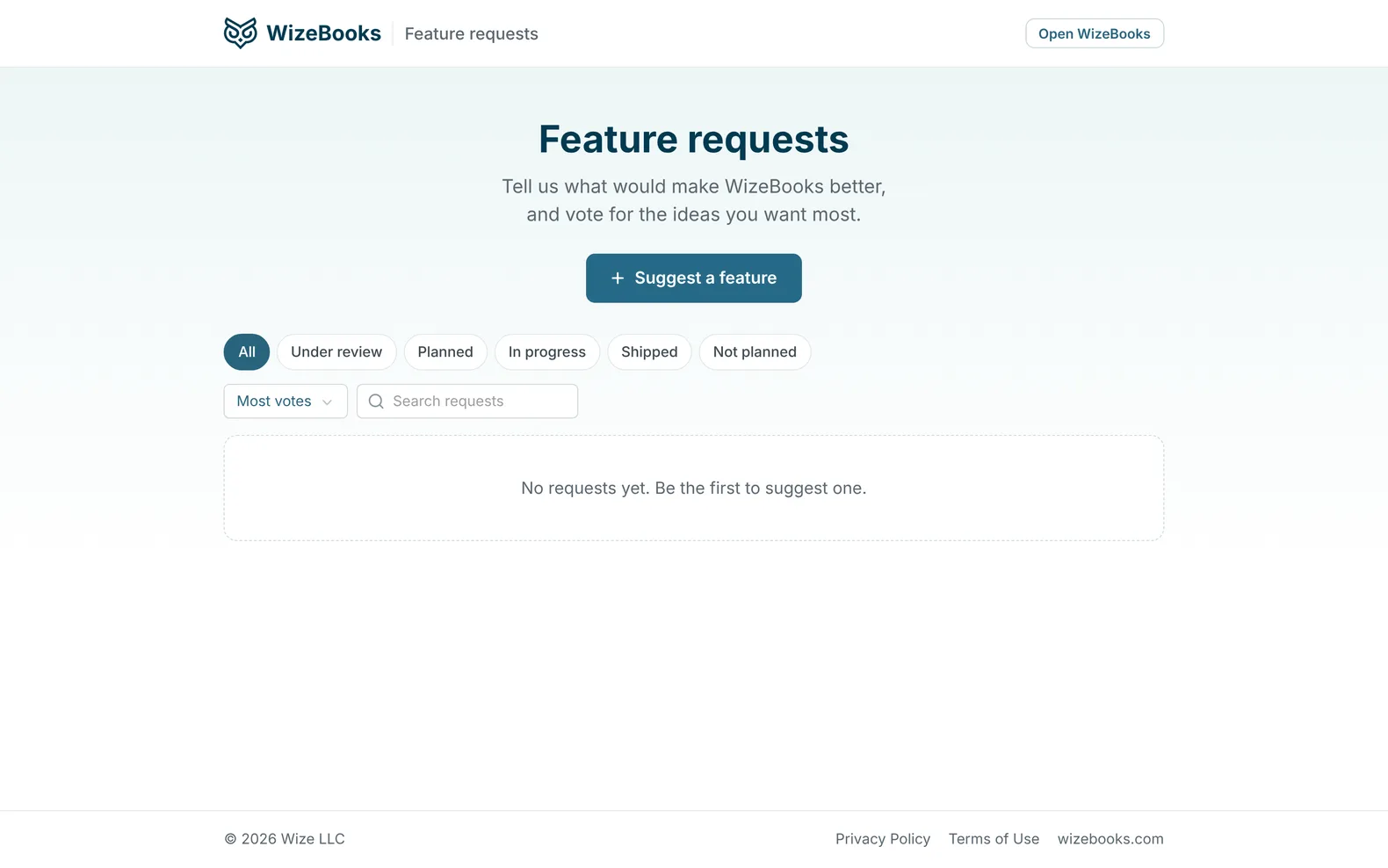
Feature requests is where you tell us what would make WizeBooks better. It opens from the avatar menu at the top right, or from the Settings menu on the left, and anyone can read it. Posting and voting need your WizeBooks login.
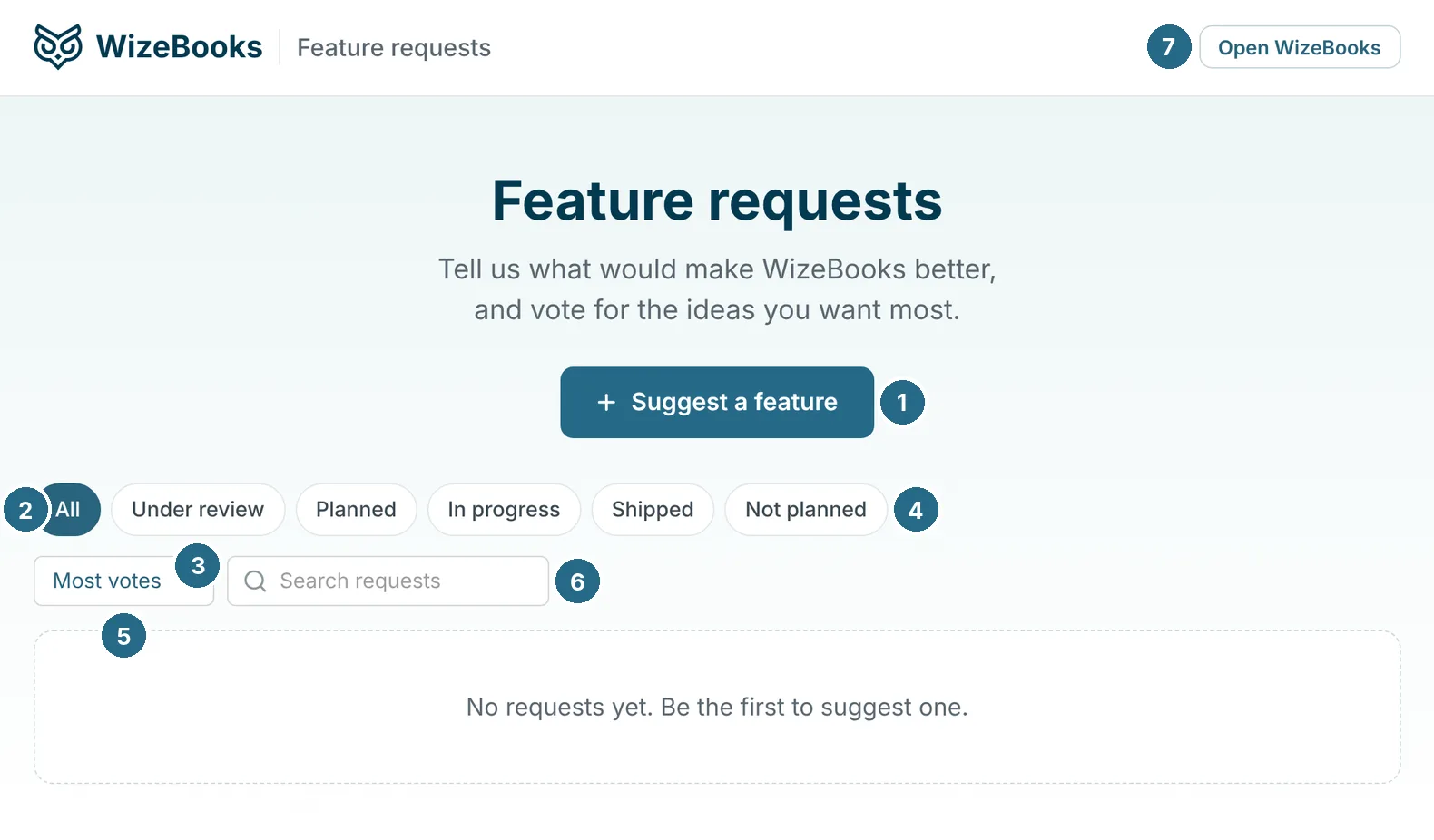
- Suggest a feature adds your idea. If you're not signed in, it asks you to sign in first and brings you back.
- All lists every idea.
- Each status narrows the list: Under review, Planned, In progress, Shipped.
- Not planned: ideas we've decided against.
- Most votes or Newest sorts the list.
- Search requests finds an idea by its words.
- Open WizeBooks takes you back to the app.
Vote for the ideas you want most with the button beside each one. The most-voted ideas get our attention first. When an idea ships, it appears in the changelog too.
Updated in v1.0.0