
Settings
Sales & payments
What new invoices and estimates start with, how customers pay, and how they look.
In the app: Settings › Sales & Payments
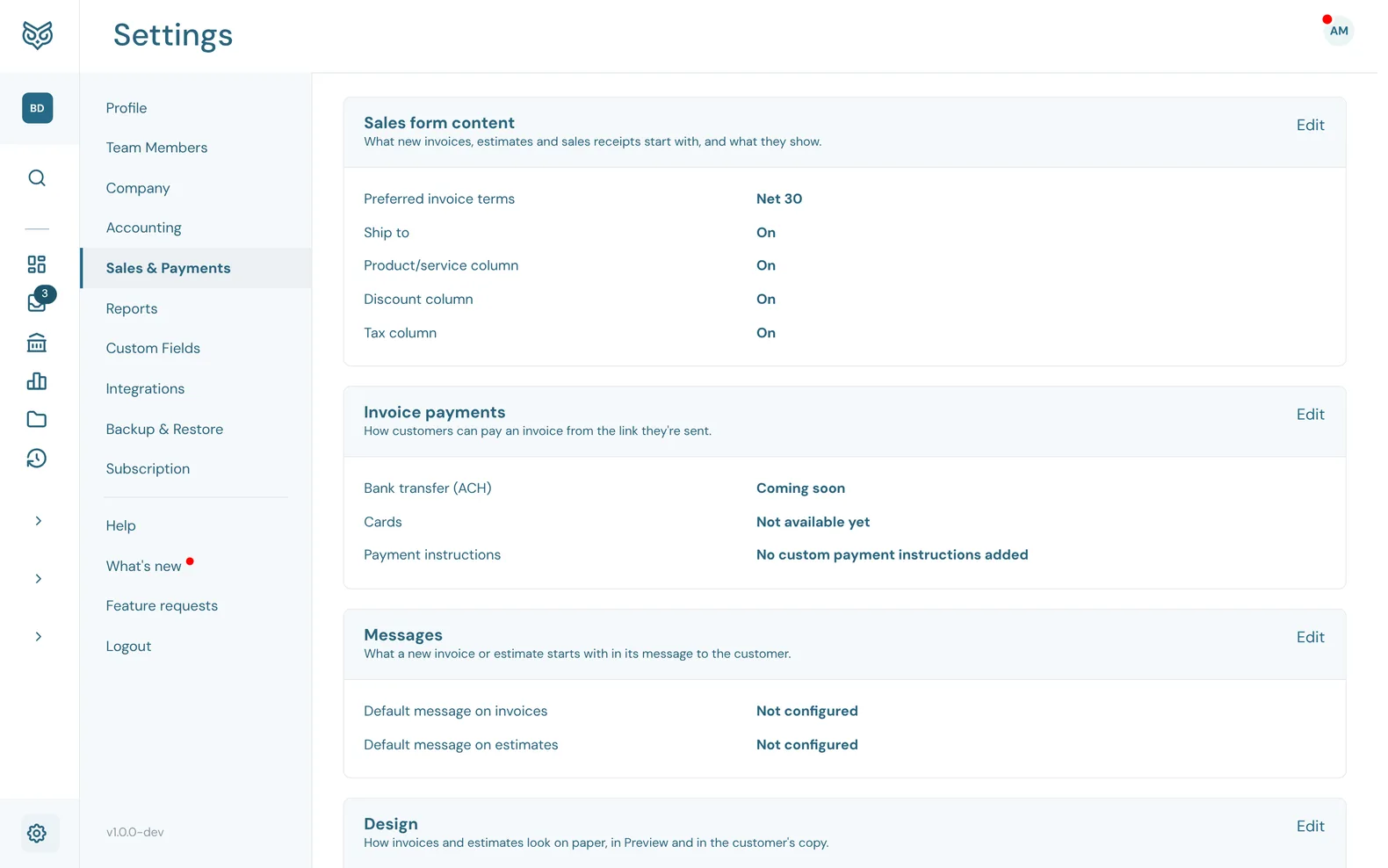
These settings are the starting point for every new invoice, estimate and sales receipt. You can still change any of them on a single form. Each card has its own Edit and Save.
Content, payments and messages
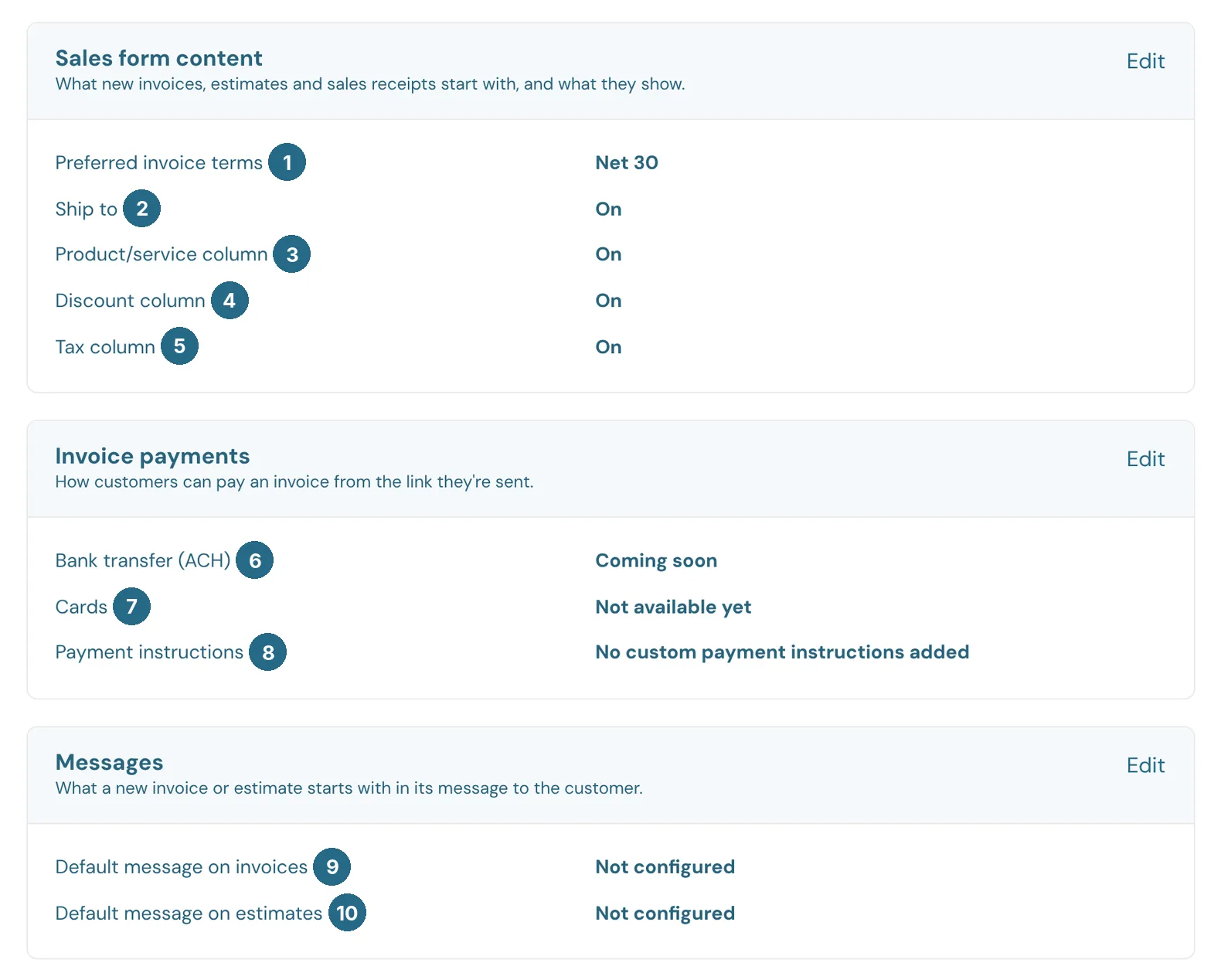
- Preferred invoice terms, such as Net 30.
- Ship to: whether forms show a shipping address.
- Product/service column: whether lines show which product or service they're for.
- Discount column: whether lines can take a discount.
- Tax column: whether lines show whether they're taxable.
- Bank transfer (ACH): paying an invoice by bank is coming soon.
- Cards: card payments aren't available yet.
- Payment instructions: your own text, such as how to pay by check or wire, printed on every invoice.
- Default message on invoices: the note each new invoice starts with.
- Default message on estimates: the same for estimates.
Design
How invoices and estimates look on paper, in Preview and in the customer's copy.
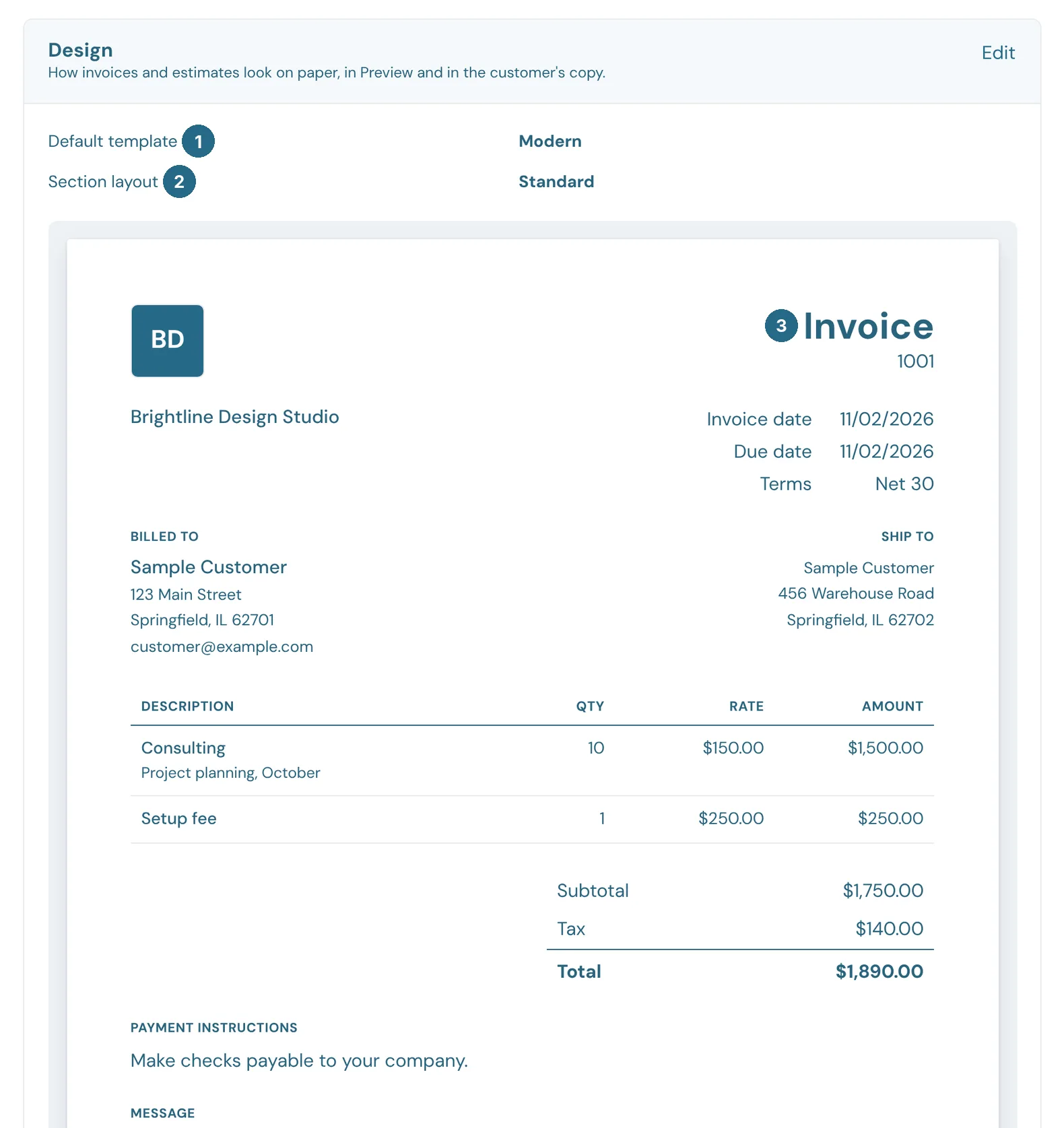
- Default template, such as Modern.
- Section layout: how the parts of the form are arranged.
- A sample invoice that shows your choices.
Reminders and estimates
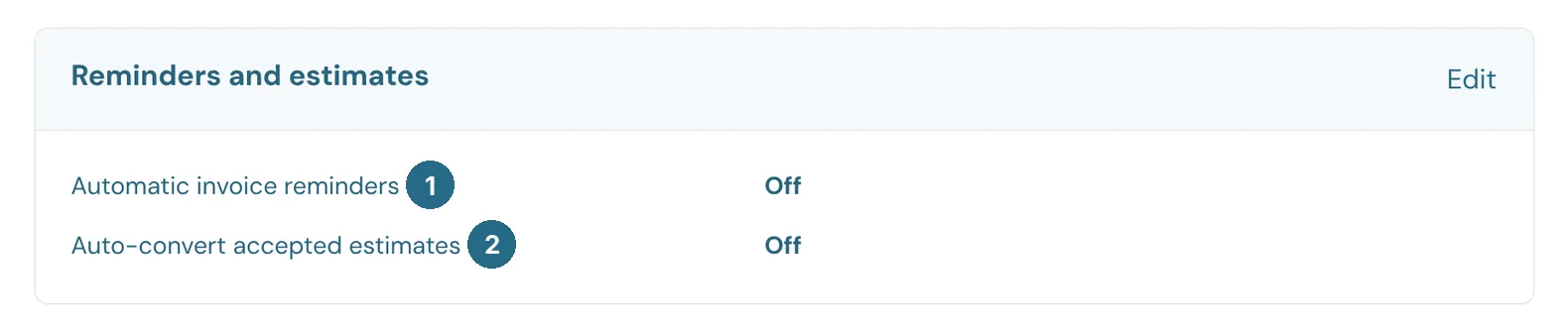
- Automatic invoice reminders: emails customers about overdue invoices for you.
- Auto-convert accepted estimates: turns an estimate into an invoice as soon as the customer accepts it, and a purchase order into a bill as soon as the vendor accepts it.
Updated in v1.0.0