
Sales
Subscriptions
Invoices that repeat on a schedule: monthly, quarterly or yearly.
In the app: Sales › Subscriptions
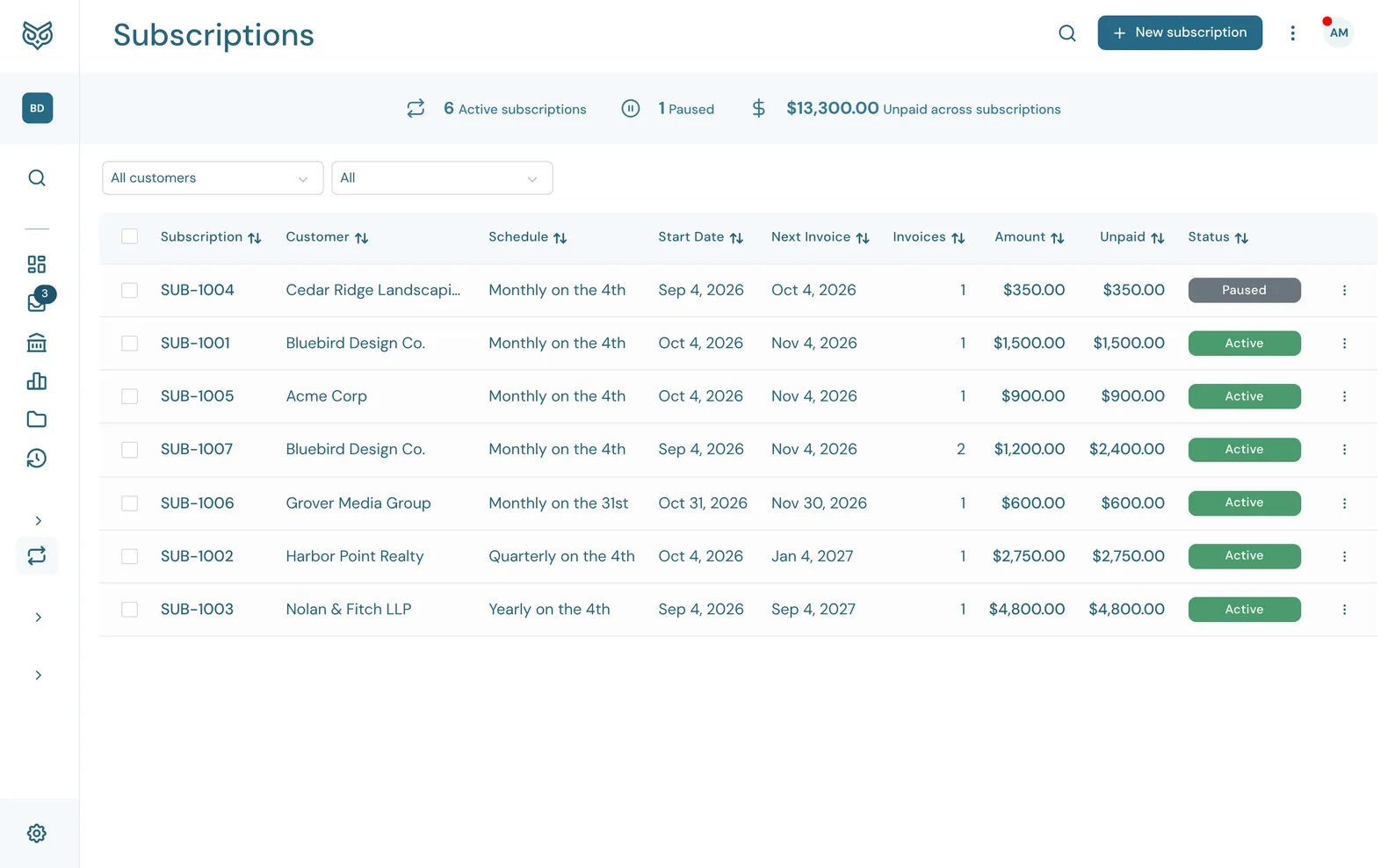
A subscription bills a customer the same way on a schedule. WizeBooks creates each invoice on its date.
The top of the page

- Search filters the list as you type.
- New subscription opens a new invoice. Set its Billing cycle to make it repeat (see Setting one up).
- More options: print or export the list, show or hide the stat band, and choose columns, page size and row height.
- The stat band: how many subscriptions are Active and Paused, and the amount Unpaid across subscriptions.
The list
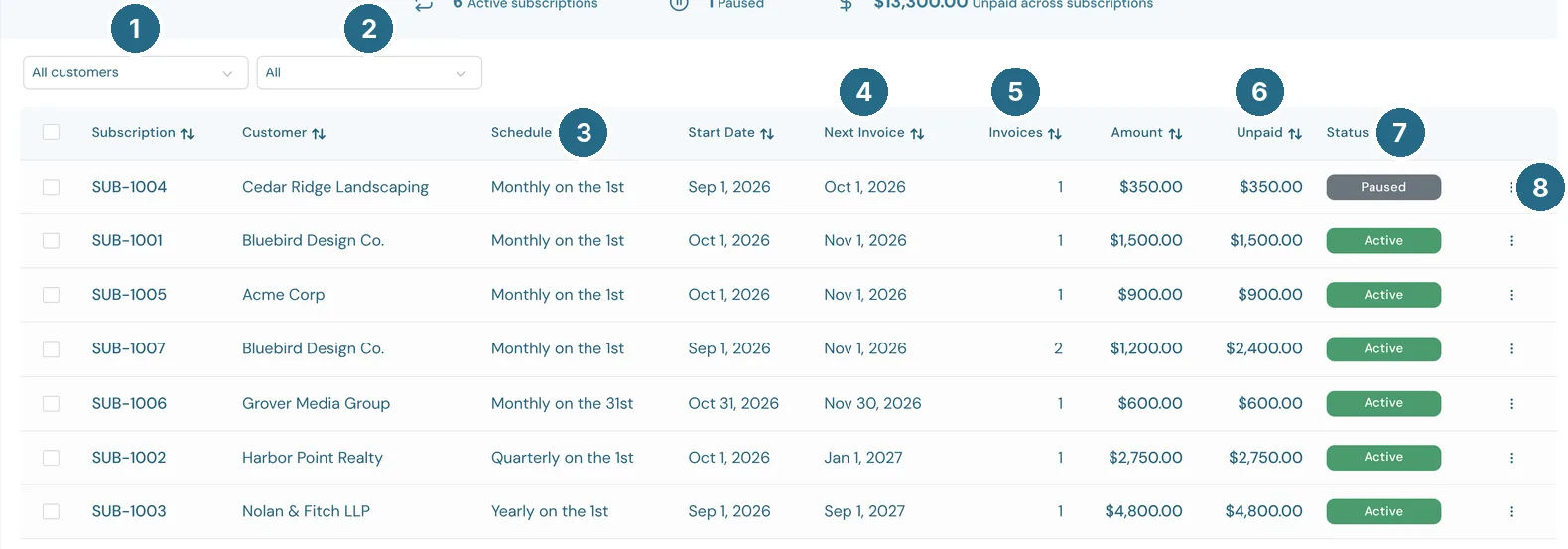
- All customers: one customer's subscriptions only.
- The status filter: All, Active, Paused or Canceled, with how many of each.
- Schedule: how often it bills, for example "Monthly on the 1st".
- Next Invoice: when the next invoice will be created.
- Invoices: how many it has created so far.
- Unpaid: what's still owed across all of its invoices.
- Status: Active, Paused, Canceled, or Needs attention when WizeBooks paused it because it couldn't create an invoice, for example because a product it uses was deleted. The reason shows on the page.
- The row's ⋮ menu (below).
Subscription (its number), Customer, Start Date and Amount (each invoice's total) fill in the rest. Click a row to open the subscription.
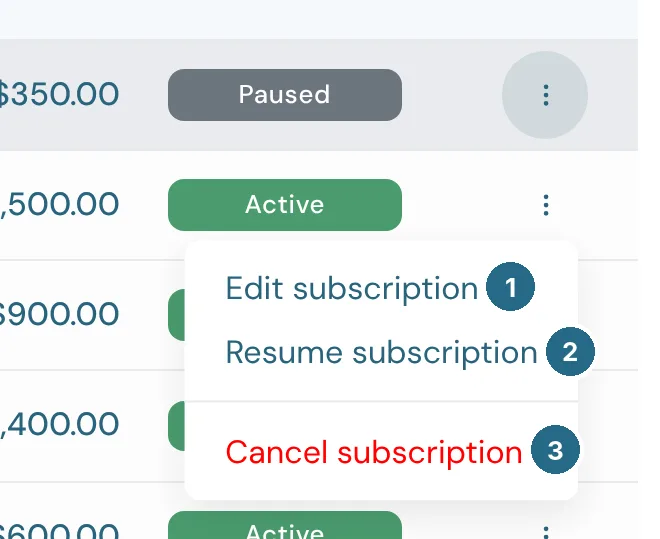
- Edit subscription opens it. Changes apply to the invoices it creates from now on.
- Pause subscription stops new invoices until you resume it. On a paused one this reads Resume subscription.
- Cancel subscription stops it for good. Invoices it already created stay.
Setting one up
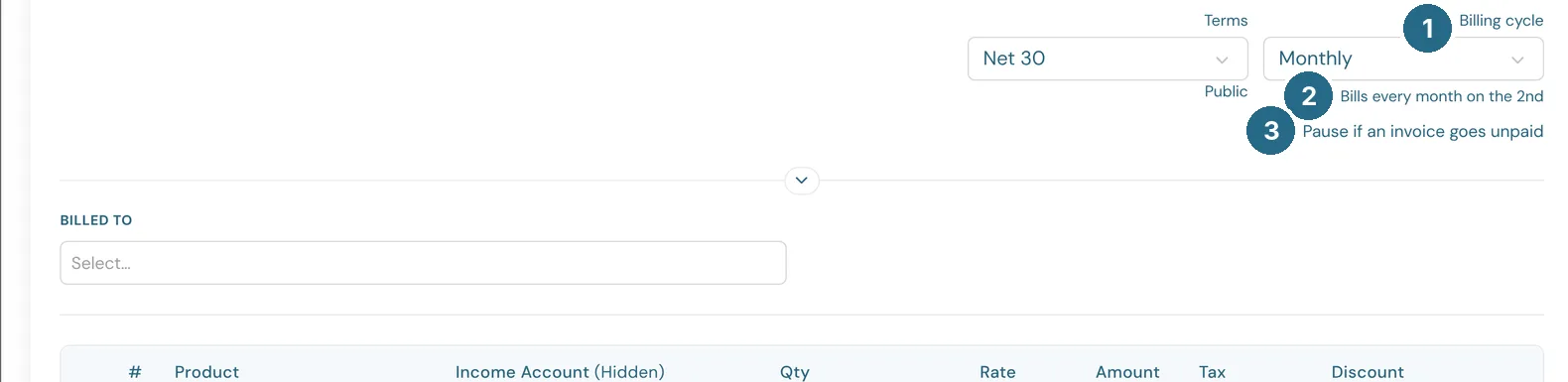
- Billing cycle: Monthly, Quarterly or Yearly. One-Time is an ordinary invoice.
- The line below spells out the schedule. It follows the Invoice date: an invoice dated the 2nd bills on the 2nd of each month.
- Pause if an invoice goes unpaid stops the subscription when one of its invoices is overdue, so you don't keep billing a customer who isn't paying.
Everything else on the form, from the customer to the lines and design, works as on an invoice. The first invoice is the one you're creating now. Save and send sends it, and later ones follow the same setting.
Updated in v1.0.0