
General ledger
Every entry in your books, by account or as one journal, plus journal entries.
In the app: Accounting › General Ledger
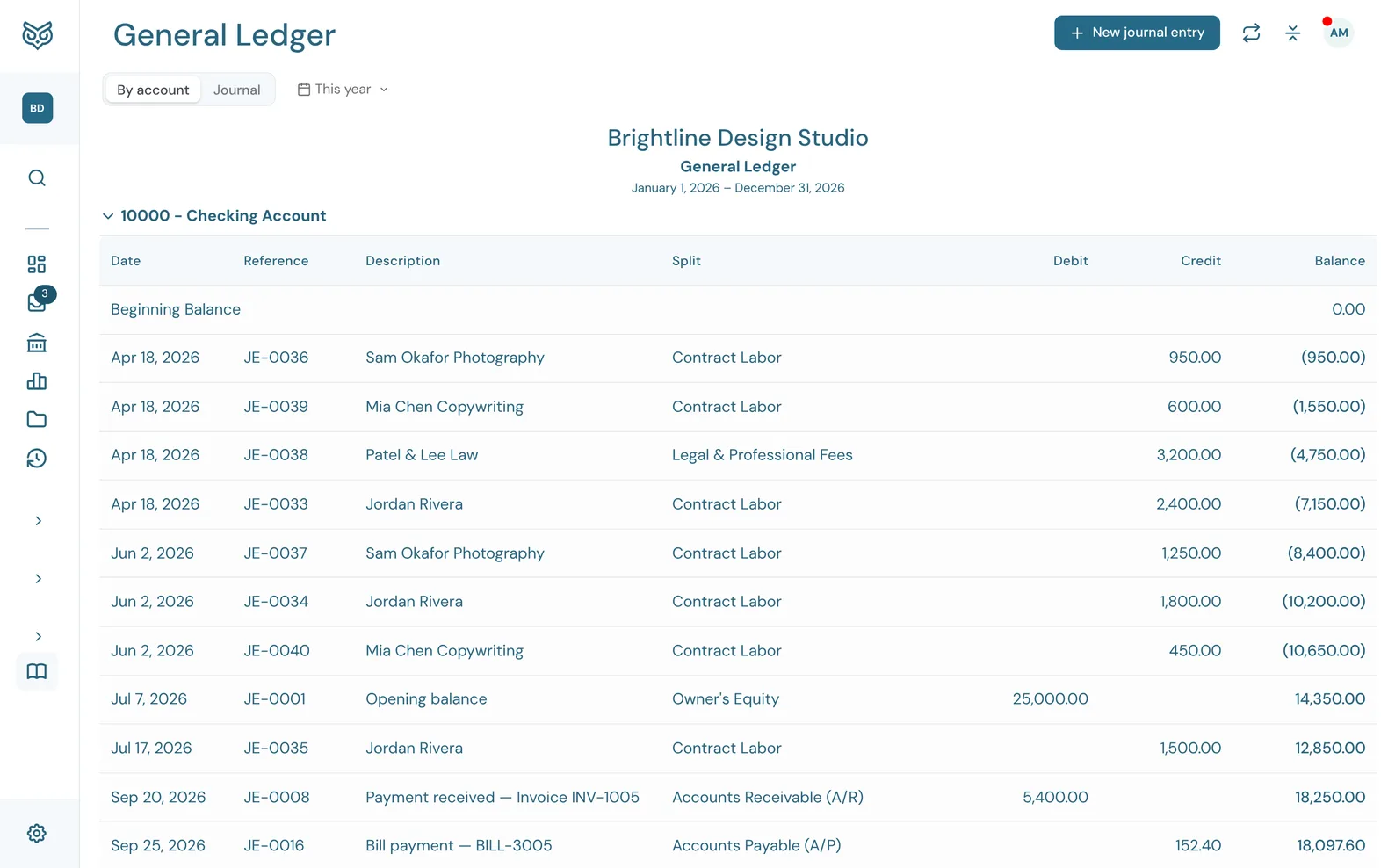
The general ledger is the full record behind every report. Each invoice, bill, payment and bank transaction you post writes a journal entry here, and you can add your own journal entries for anything else.
By account
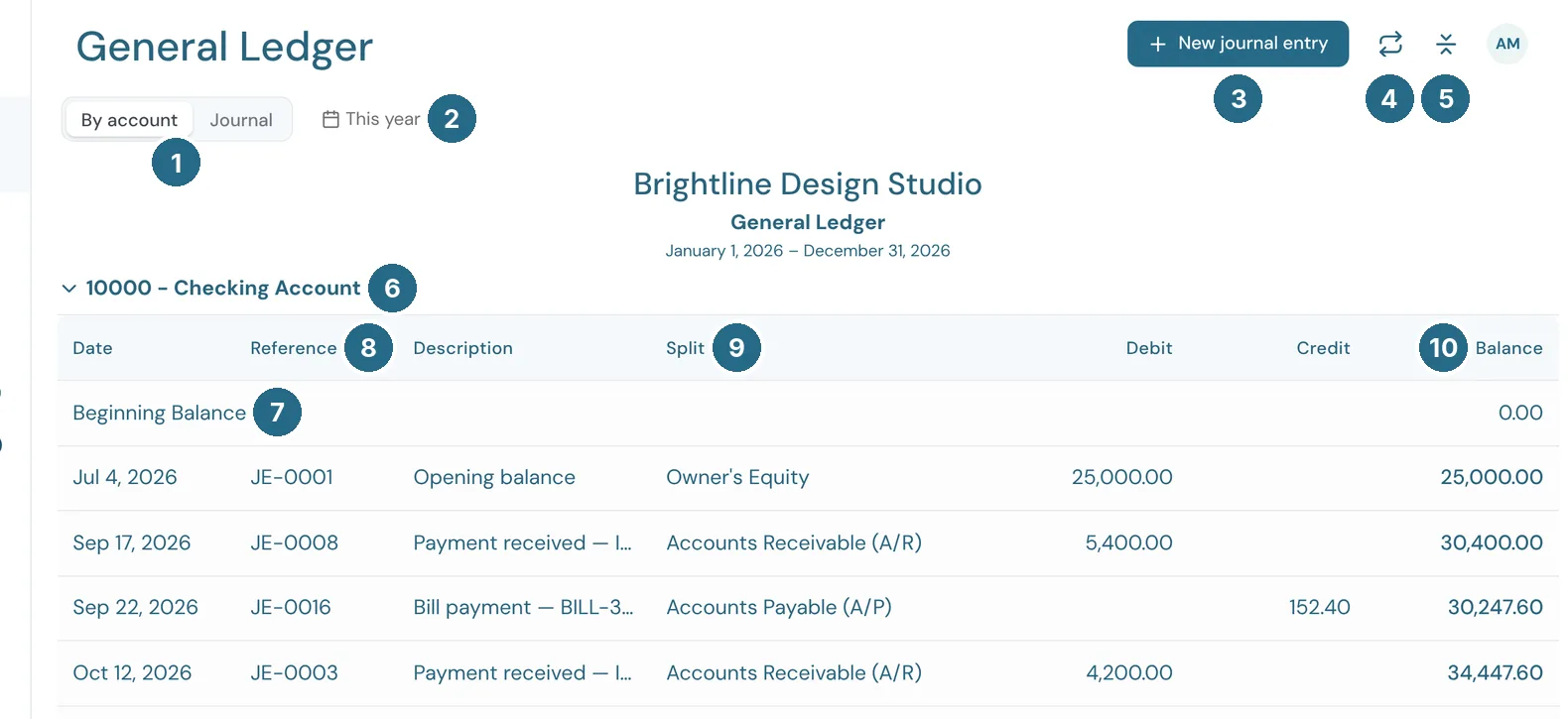
- By account or Journal switches between the two views. By account shows one block per account. Journal is below.
- The date filter sets the period, such as This year. The heading under it repeats the company name and the dates.
- New journal entry opens a blank entry (see Journal entries).
- Recurring journal entries opens the entries booked on a schedule (see Recurring journal entries).
- Collapse all folds or opens every account block.
- The account heading. Click it to fold that block.
- Beginning Balance: the account's balance on the first day of the period. The block ends with its Ending Balance.
- Reference: the journal entry number, such as JE‑0012.
- Split: the other account on the entry, so you can see where the money went or came from.
- Balance: the running balance after each line.
Date, Description, Debit and Credit fill in the rest. Click a line to open the document behind it.
Journal
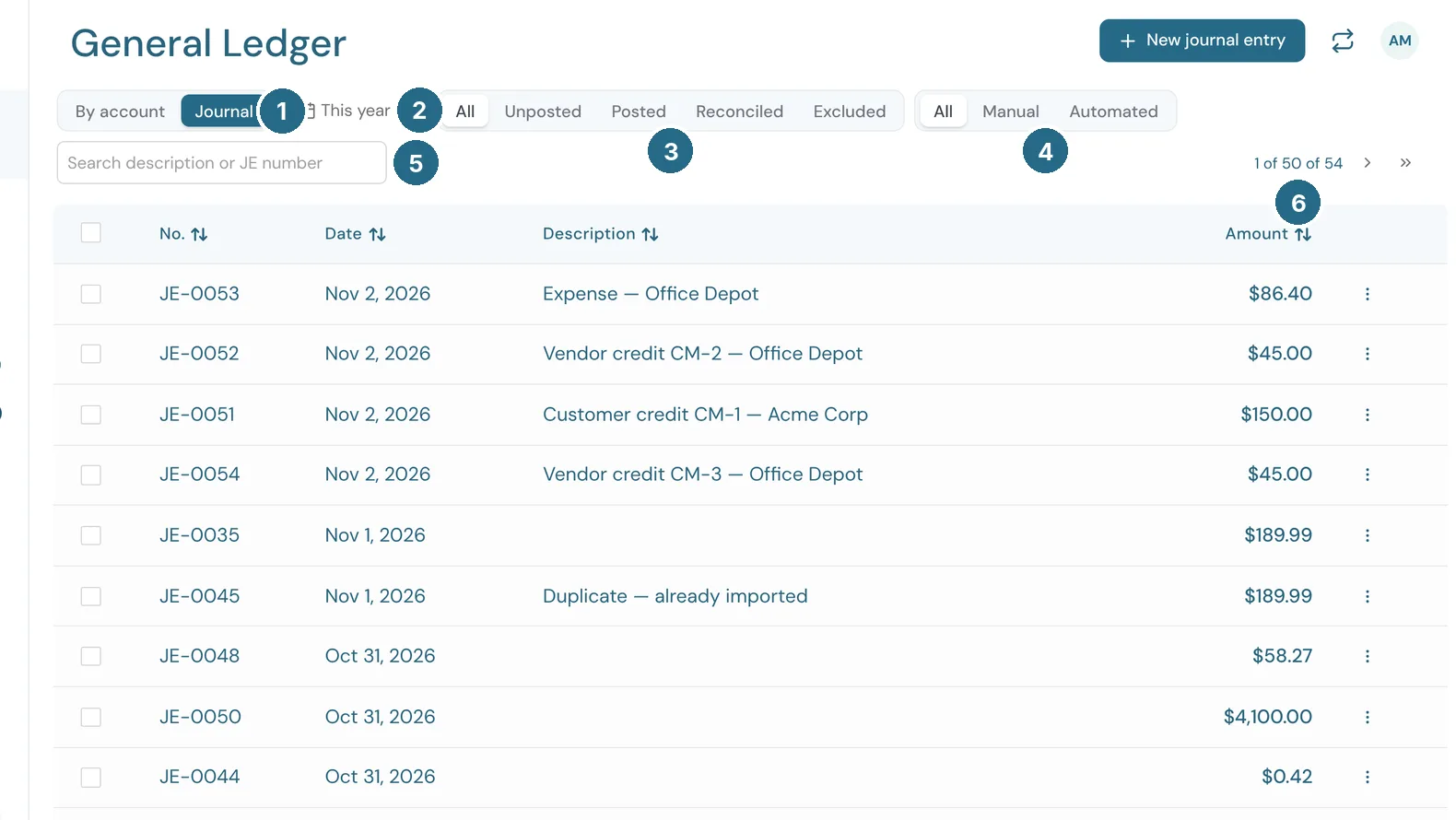
- Journal lists every journal entry once, newest first, with all its lines together.
- The date filter sets the period.
- The status filter: All, Unposted, Posted, Reconciled or Excluded.
- The source filter: All, Manual (journal entries someone typed in) or Automated (entries WizeBooks wrote for invoices, bills, payments and bank transactions).
- Search finds an entry by its description or JE number.
- Which rows you're looking at, such as 1 of 50 of 54 (rows 1 to 50 of 54), with arrows to the next and last page.
No., Date, Description and Amount sort when you click their headings. A manual entry's ⋮ menu has Edit and Delete. Any other entry has View, which shows its debits and credits. Tick several manual entries to delete them together.
Journal entries
A journal entry is for anything that isn't an invoice, bill or bank transaction, such as an opening balance, depreciation or a correction your accountant asks for.
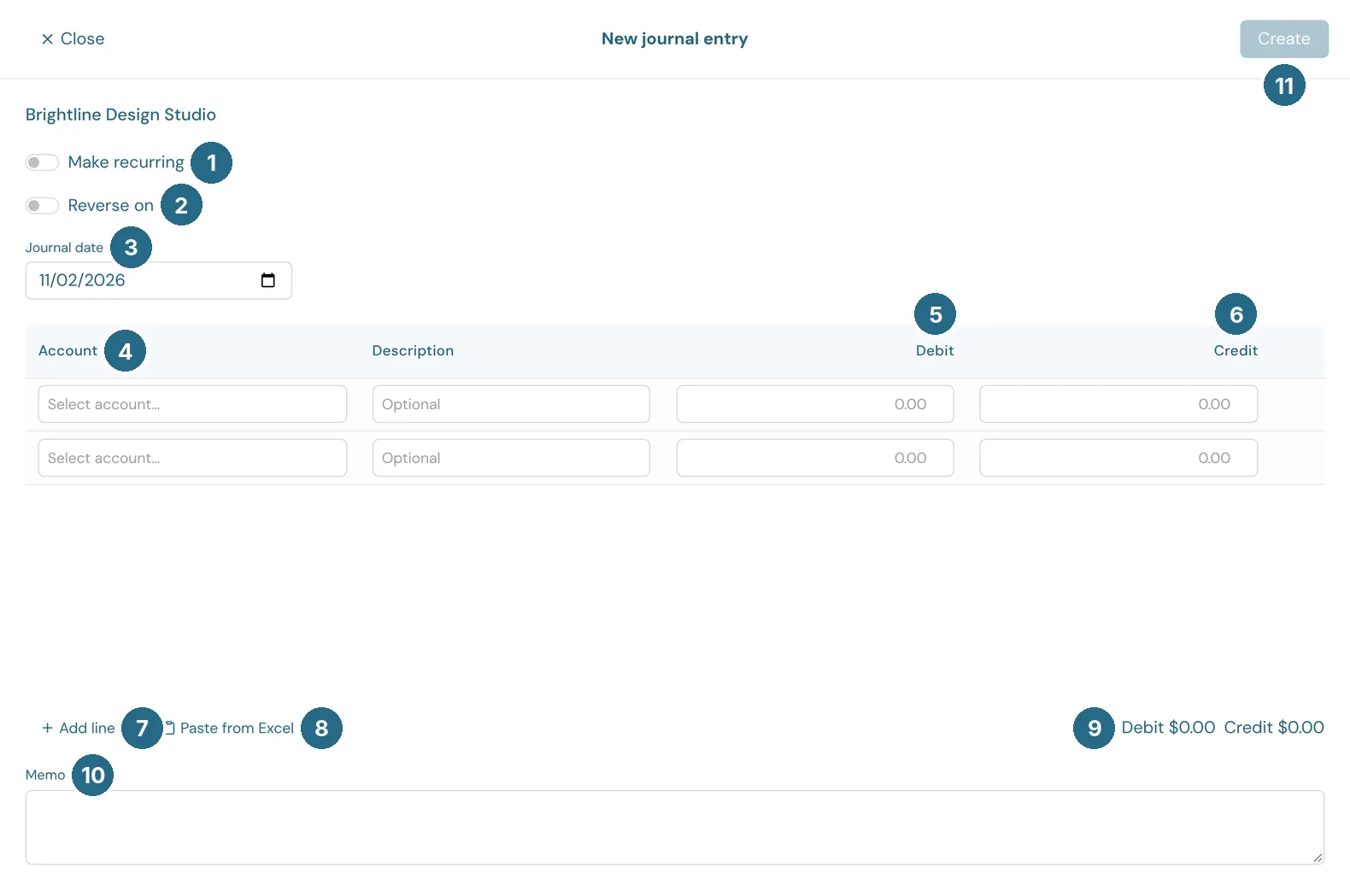
- Make recurring turns the entry into a series that books itself on a schedule.
- Reverse on posts the opposite entry on a later date, for accruals that undo themselves. It starts on the 1st of next month.
- Journal date: the date the entry is booked on.
- Account: the account for this line.
- Debit: the amount debited to that account.
- Credit: the amount credited. Each line takes a debit or a credit, not both. Description is an optional note for the line.
- Add line adds another line.
- Paste from Excel pastes many lines at once from a spreadsheet.
- The totals of every debit and credit. They must be equal before you can save.
- Memo: a note for the whole entry.
- Create saves it.
Recurring journal entries
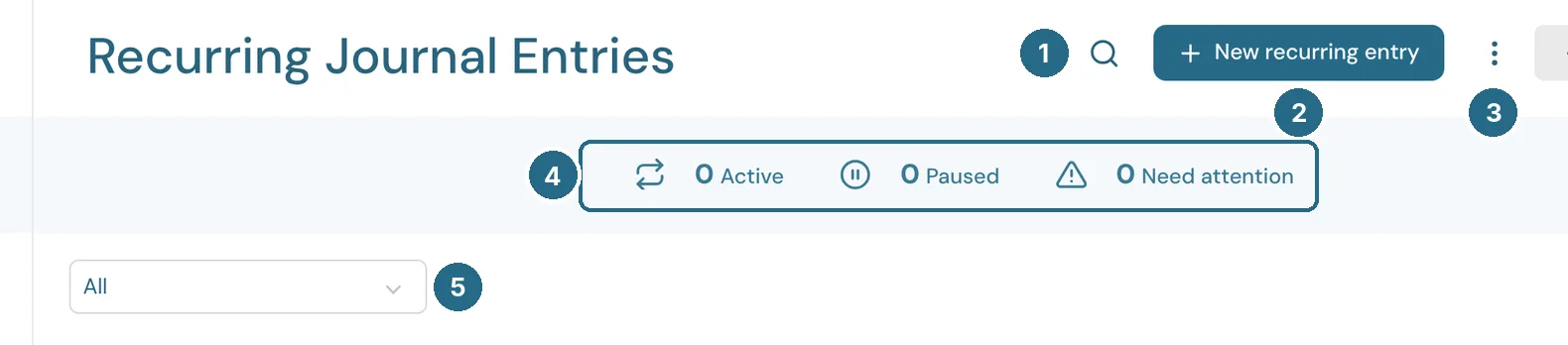
- Search finds a series by name.
- New recurring entry sets up a new series: the lines, how often it repeats, when it starts and when it ends.
- More options: print, export, and which columns to show.
- The stat band counts series that are Active, Paused or Need attention. More options can hide it.
- The status filter: All, Active, Paused or Ended.
Each row is a series, with its Schedule, Start date, Next entry, Ends, how many Entries it has posted, its Amount and Status. WizeBooks posts what's due each night, and anything already due as soon as you save. A series that couldn't post, for example because the period is closed or an account is inactive, shows Needs attention with the reason.
A row's ⋮ menu has Edit, Post due entries now (when one is due), Pause or Resume, and Delete. Deleting a series stops it for good. The entries it already posted stay in your books until you delete them separately.
Updated in v1.0.0