
Settings
Company
Your company's name, logo, contact details and security rules.
In the app: Settings › Company
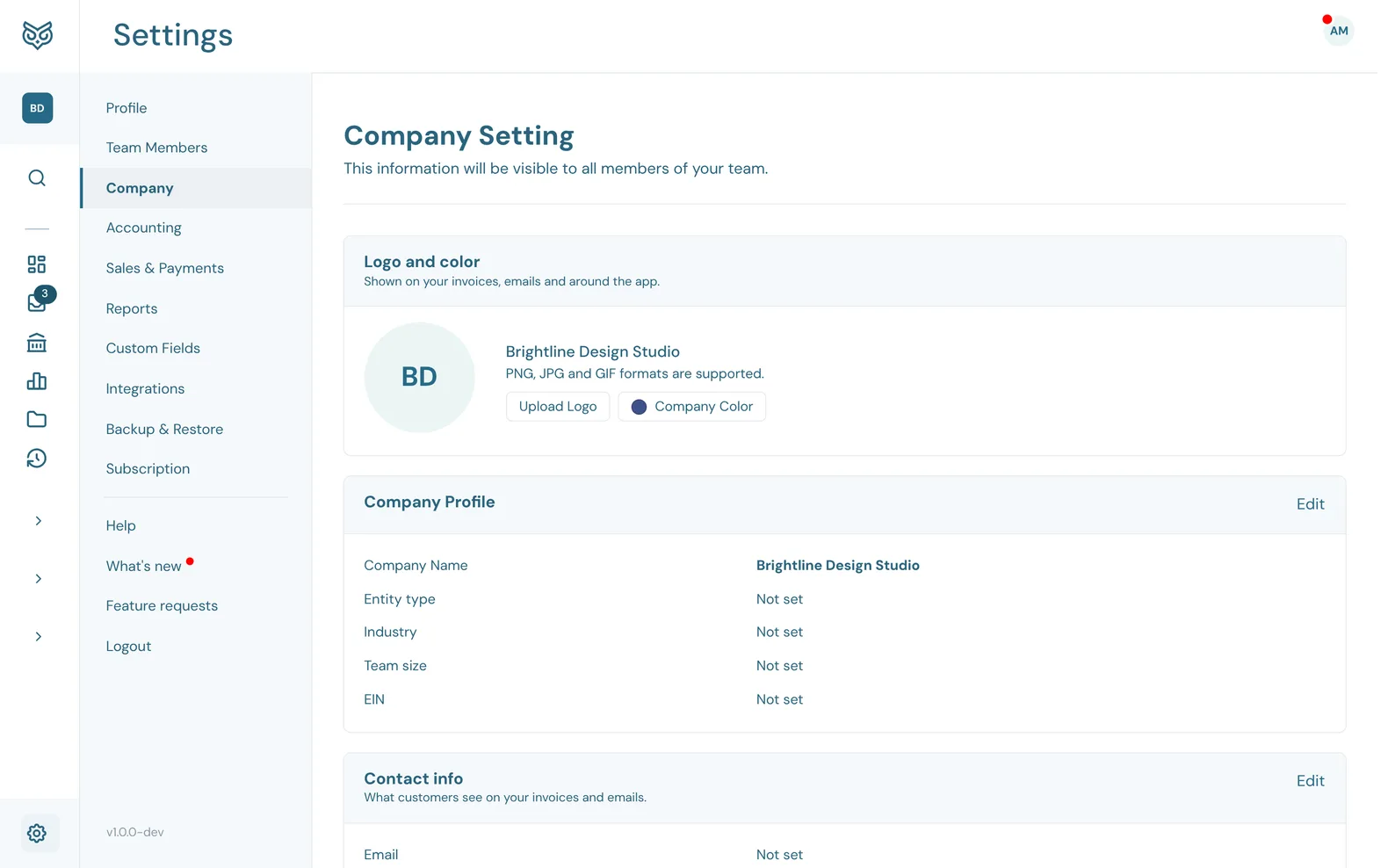
Company Settings apply to everyone in the company. Each card has its own Edit and Save.
Logo and company profile
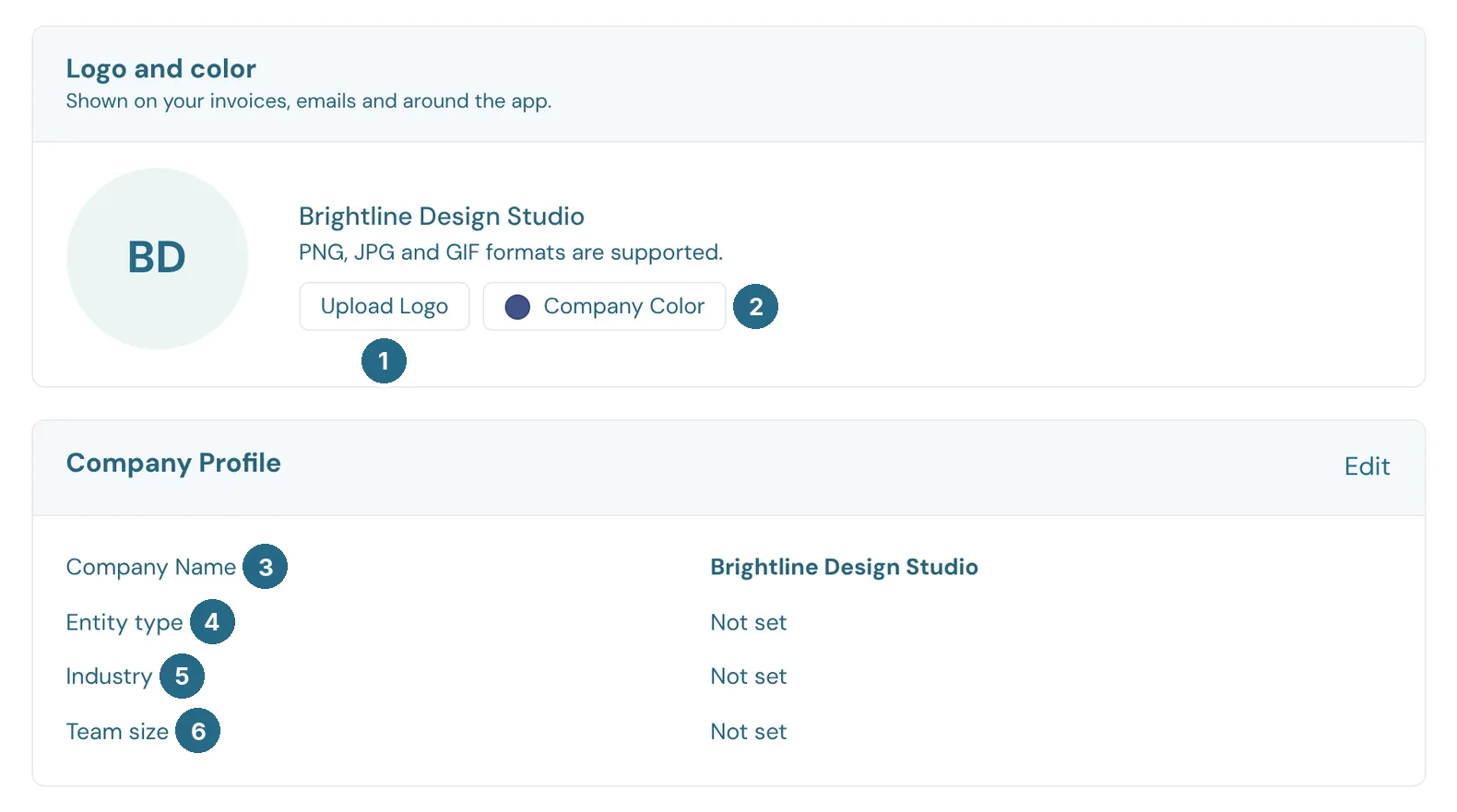
- Upload Logo: a PNG, JPG or GIF. It appears on your invoices and emails, and around the app.
- Company Color: the colour used with your logo.
- Company Name.
- Entity type, such as an LLC, S-Corporation or Sole Proprietorship.
- Industry.
- Team size.
- EIN (optional): the company's employer identification number. It's stored encrypted, shows as the last four digits, and prints as the payer's TIN on your 1099s.
Contact info, security and tabs
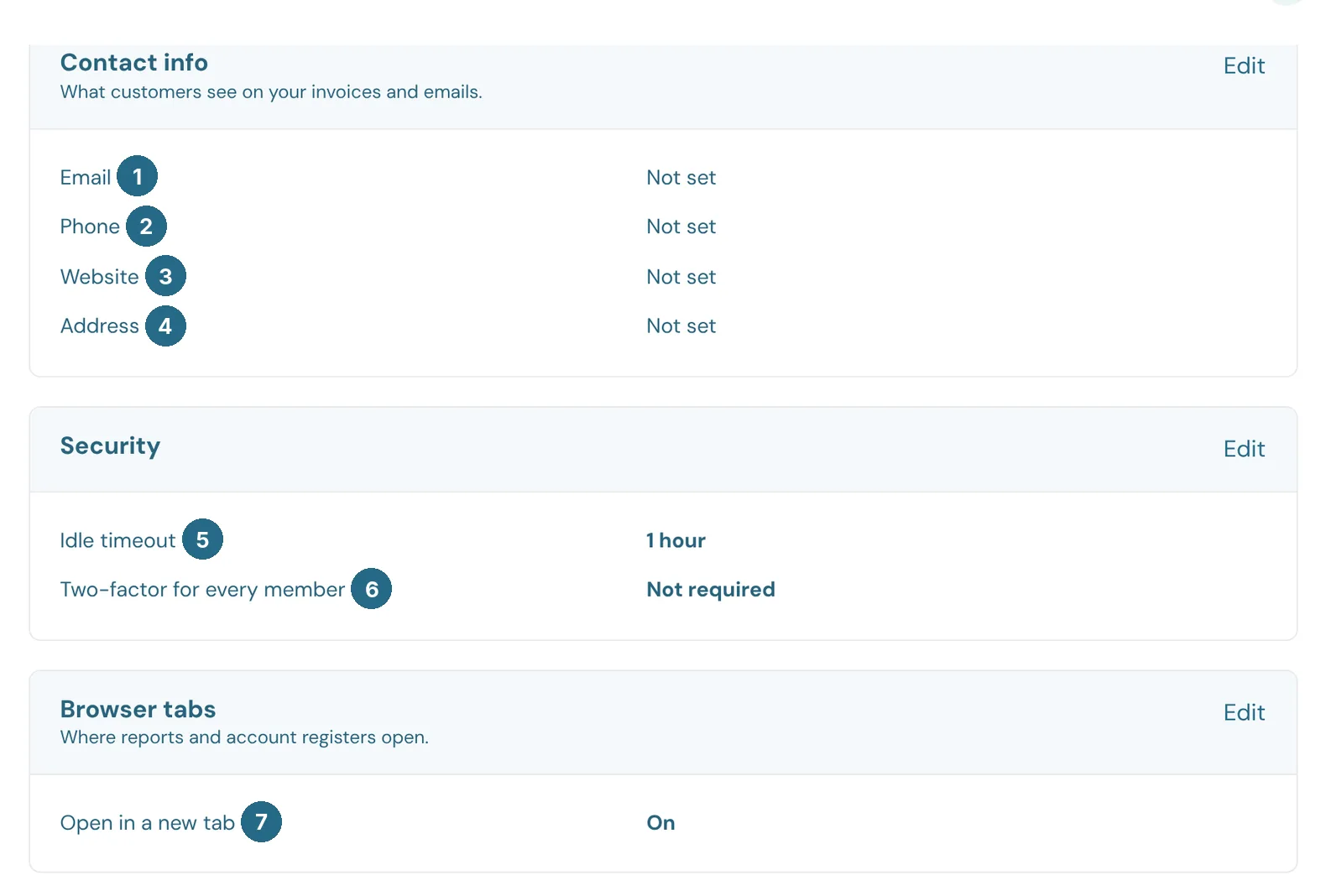
- Email: shown to customers on your invoices and emails. WizeBooks doesn't send notifications to it: each person picks their own in their Profile.
- Phone.
- Website.
- Address.
- Idle timeout: how long anyone in the company can be inactive before being signed out: 30 minutes, 1, 2 or 3 hours. Each person can choose a shorter time in their profile.
- Two-factor for every member: require everyone to use a passkey or authenticator app to sign in.
- Open in a new tab: when on, reports and account registers open in a new browser tab so you keep your place.
Danger Zone
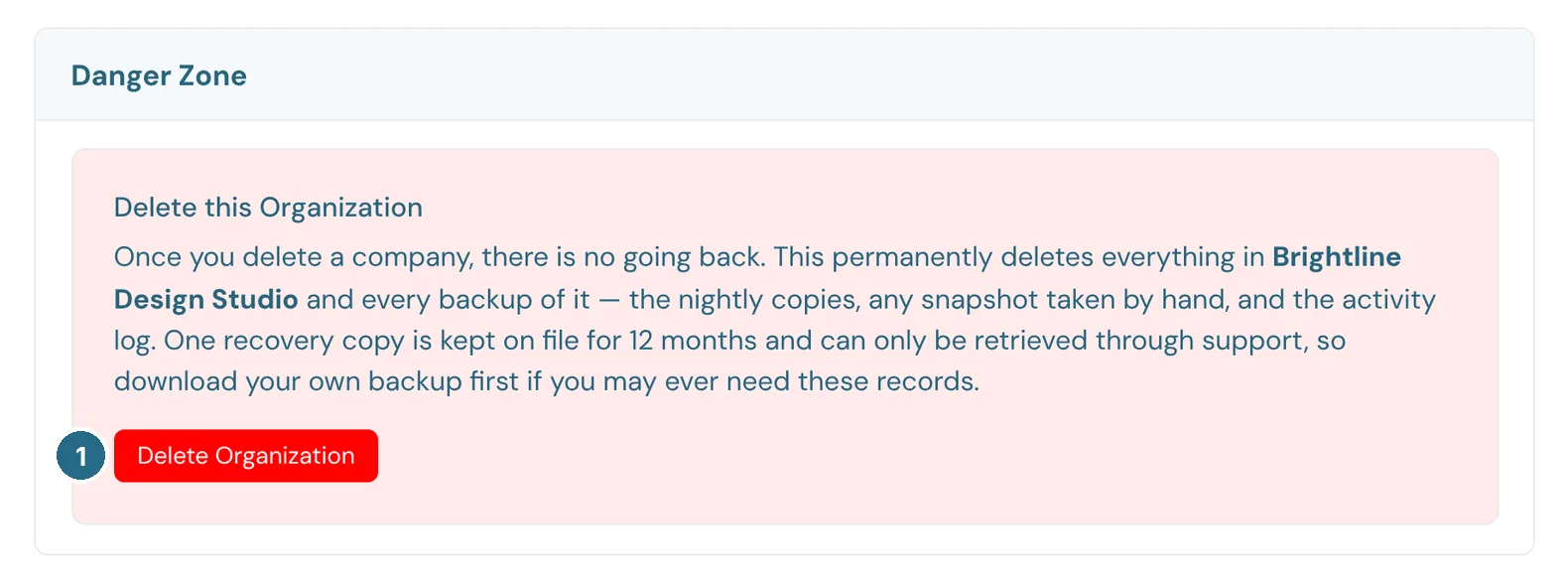
- Delete Organization permanently deletes everything in the company and every backup of it. One recovery copy is kept for 12 months and can only be retrieved through support, so download your own backup first if you may ever need the records.
Updated in v1.0.0