
Accounting
Budgets
Set a monthly budget for each income and expense account and see it against actual.
In the app: Accounting › Budgets
Budgets are on the Pro and Enterprise plans.
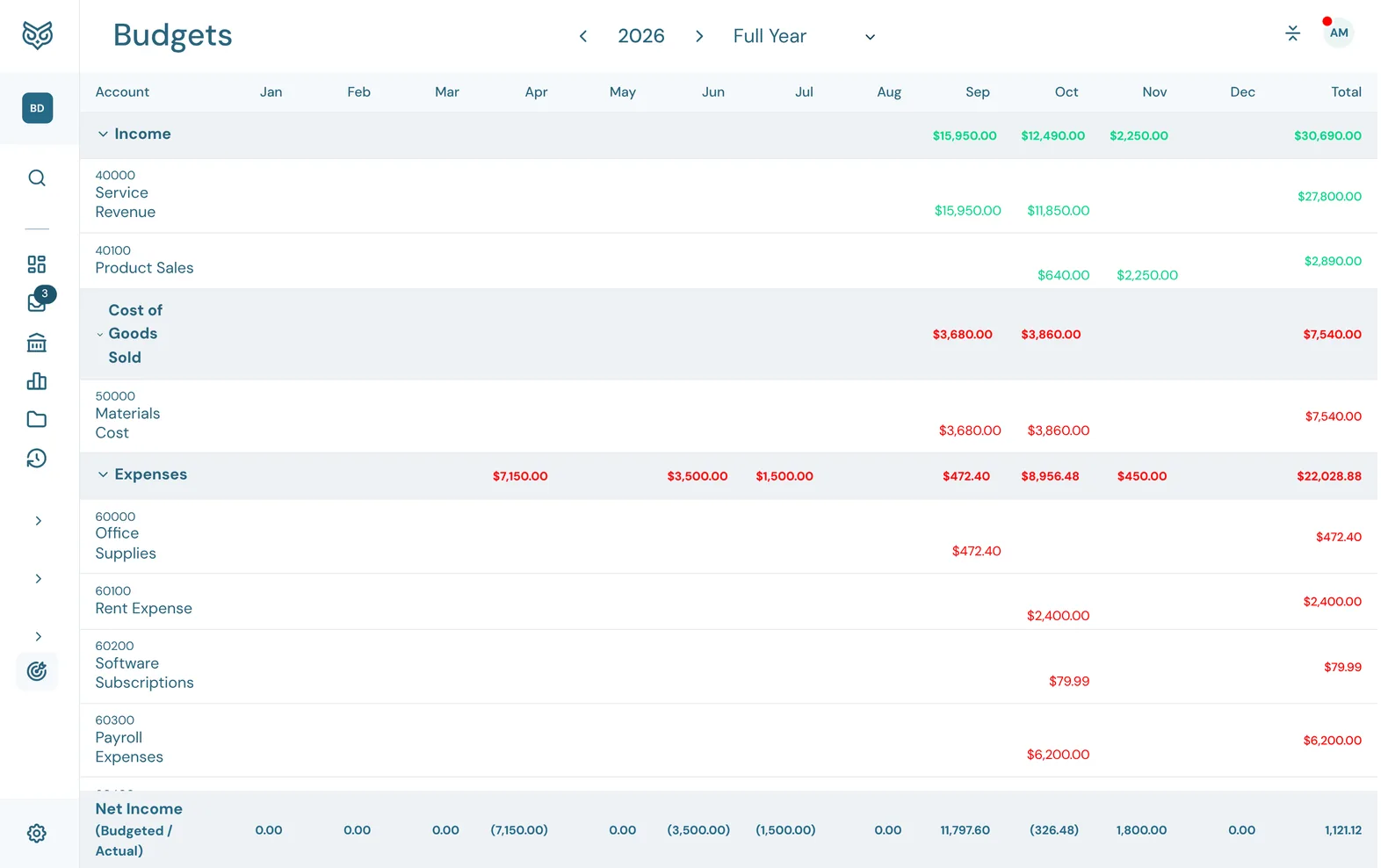
The grid has one row per income, cost of goods sold and expense account, and a column for each month plus the Total. The bottom row compares budgeted and actual Net Income.
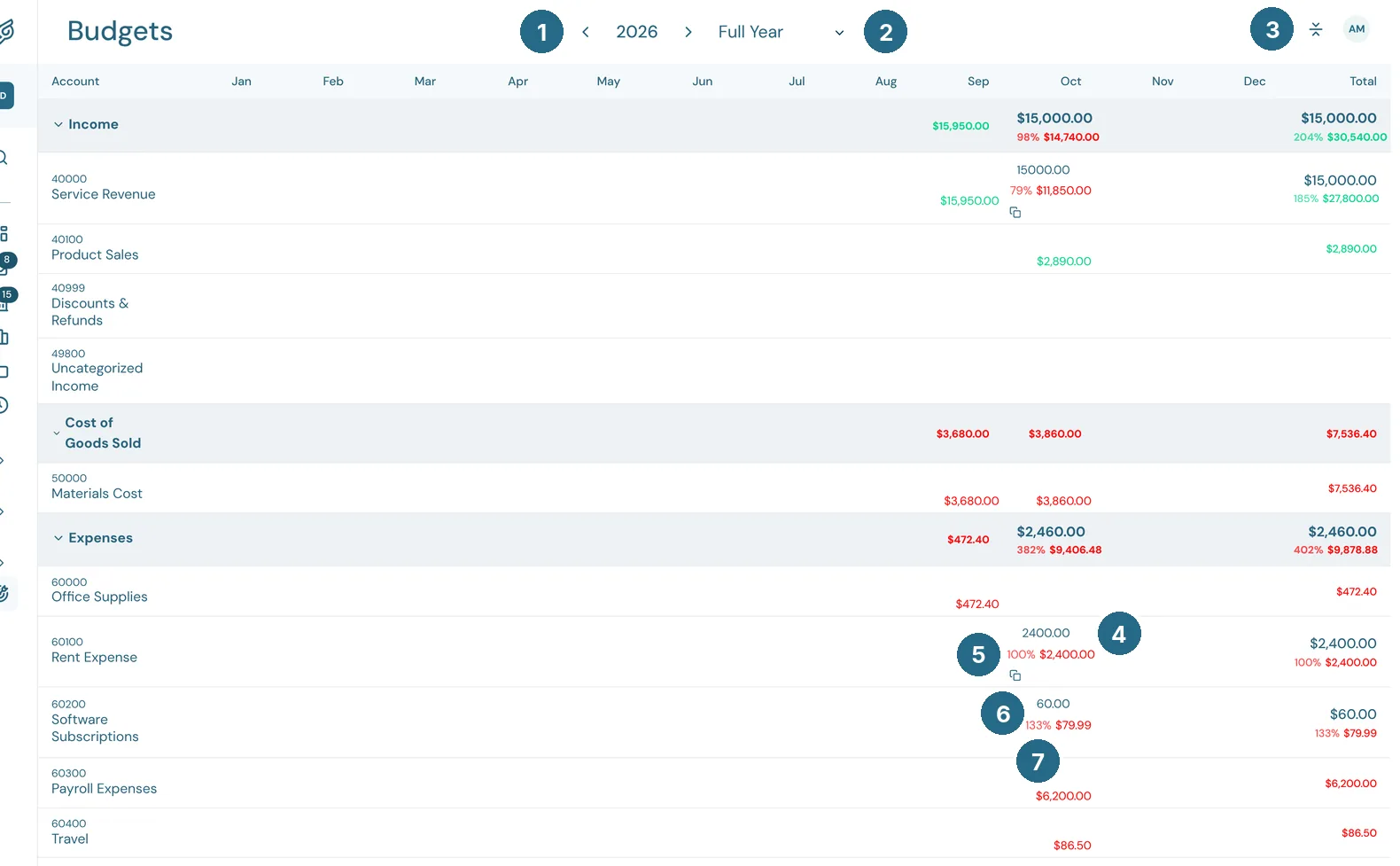
- ‹ 2026 › moves between years.
- The period: the Full Year or a single quarter.
- Collapse all folds or opens the account groups.
- The budget for that account and month. Type an amount and it saves as soon as you leave the cell.
- The actual amount from your books, and how much of the budget it is. It's green when income meets its budget or a cost stays within it, and red when income falls short or a cost goes over.
- Fill remaining months copies this month's budget to every later month of the year and leaves earlier months alone.
- The same percentage on another row: here software costs ran to 133% of their budget.
Group rows and the Total column add everything up the same way.
To compare budget and actual in a report, run Budget vs. Actuals from Reports.
Updated in v1.0.0